Wav2Lip: What It Does, Its Licence, and an Alternative
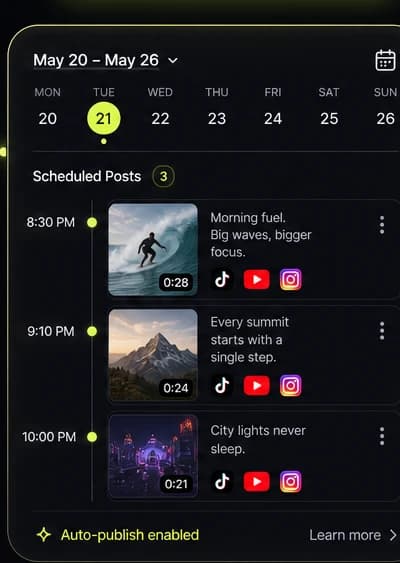
Wav2Lip re-times the mouth in a face video to match a new audio track, and its code is for personal and research use only. Kyncept doesn't lip-sync existing footage: it makes new videos with native audio, from 10 credits each, and narrated faceless shorts for 40 credits.
- Kyncept is not a lip sync tool
- 10 credits per video, native audio
- Narrated faceless shorts in 12 languages
- Publish to TikTok, YouTube, Instagram
Wav2Lip vs Kyncept: the short verdict
Wav2Lip is an open-source lip sync model from the 2020 ACM Multimedia paper "A Lip Sync Expert Is All You Need for Speech to Lip Generation In the Wild". You give Wav2Lip a video or photo of a face plus any audio file, and it redraws the mouth so the face appears to say that audio. It is free to download, but its authors allow only personal, research and non-commercial use, and you run it yourself in Python. Kyncept does not do lip sync. It is an AI video platform that generates new clips: every Kyncept Plus video costs a flat 10 credits with native audio, and the faceless template turns a topic into a narrated, captioned short for 40 credits. If you must make an existing person say new words, use Wav2Lip or a commercial lip sync service. If what you need is a voiced video for a channel, Kyncept is the easier route.
Pick Kyncept if you…
- Want a voiced short for TikTok, Reels or Shorts without filming or recording anyone
- Need videos you can use commercially on a paid plan
- Prefer a browser studio to installing Python, FFmpeg and model weights
- Want narration, captions and visuals made together from one topic
- Want to publish straight to TikTok, YouTube or Instagram
Pick Wav2Lip if you…
- Must sync an existing face video to a new audio track
- Are doing research, a class project or a personal experiment
- Want free code you can run, train and modify on your own GPU
What is Wav2Lip, and how does it work?
Wav2Lip is a speech-to-lip model: it takes a face and a voice and changes only the mouth region so the two match. It was published at ACM Multimedia 2020 by Prajwal K R, Rudrabha Mukhopadhyay, Vinay P. Namboodiri and C.V. Jawahar, from the CVIT lab at IIIT Hyderabad, India. The paper's idea is in its title: a separate, pre-trained "lip sync expert" judges whether mouth and audio line up, and the generator is trained until that expert is satisfied.
In practice, a Wav2Lip run looks like this:
- Inputs: a face video (or a single JPG or PNG, which it treats as a still frame) and any audio FFmpeg can read, such as WAV, MP3 or another video's soundtrack.
- Two checkpoints: plain Wav2Lip for the most accurate sync, and Wav2Lip + GAN for slightly weaker sync with better visual quality.
- Output: an MP4 with the new audio and re-drawn lips, saved to a results folder.
The model works on any identity, voice and language, including CGI faces and synthetic voices. What it doesn't do is create a new scene: the head, body, background and camera all come from your input video. For other AI video tools we compare, see the Viggle comparison.
Where Wav2Lip falls short, and why people look for a Wav2Lip alternative
Wav2Lip is still a reference point for lip sync accuracy, but these are the limits that send people looking for a Wav2Lip alternative, all checked in the Wav2Lip repository as of November 2026.
- No commercial use. The models were trained on the LRS2 dataset, and the authors state that any form of commercial use of the open-source code and results is strictly prohibited. Ads, client work and monetised channels are out unless you get permission from them.
- Low-resolution mouths. The model redraws a 96×96 pixel face crop. The authors note that 720p input can look better than 1080p, and suggest a resize option to scale the video down. On a large, sharp face, the mouth area can look softer than the rest.
- Tuning by hand. Good results often need trial runs with face padding (to include the chin) and a no-smoothing flag (to fix a shifted mouth or "two mouths").
- Set-up work. You need Python, FFmpeg, the requirements file and a separate face detection model, or a Colab notebook. Training on your own data needs a sync-corrected dataset, your own expert discriminator, and from under a day to about two days of training.
- It only edits. You still have to film or find the face video first.
If your goal is a finished, voiced short rather than an edited mouth, a different kind of tool fits better.
Feature comparison: Wav2Lip alternative or the original?
What Wav2Lip and Kyncept each do, as of November 2026. They solve different problems, so many rows are a "no" on one side.
| Feature | Kyncept | Wav2Lip |
|---|---|---|
| Lip-sync an existing video to new audio | No | Yes, the core job |
| Make a talking photo from one image and audio | No | Yes, a still JPG or PNG plus audio |
| Generate a new video from text or an image | Yes, Kyncept Plus | No |
| Sound in the output | Native audio generated with each Kyncept Plus clip | Your supplied audio track |
| Narrated short from a topic | Yes, faceless template: script, voiceover, captions, art | No |
| Narration languages | 12 in the faceless template | Any language in your audio |
| Music video from your song | Yes, shots cut to your lyric timing | No |
| Commercial use | Yes on paid plans | Not allowed for the open-source code |
| How you run it | In the browser | Python and FFmpeg on your machine, or a Colab notebook |
| Price | Plans from $19/mo; 10 credits per video | Free code and weights |
| Output resolution | Up to 1080p on Pro, 4K on Business | Your input video; mouth redrawn from a 96×96 crop |
| Train or modify the model | No | Yes, training code included |
| Publish to TikTok, YouTube, Instagram | Yes, from the project | No |
Wav2Lip facts are for the open-source repository as of November 2026. Its authors sell a separate hosted lip sync service through Sync Labs, which isn't covered here.
Wav2Lip online and offline: what each option costs (as of November 2026)
Kyncept list prices in USD. Wav2Lip itself has no price, but it isn't free of cost: you supply the hardware, the time and a non-commercial purpose.
| Option | Price | Credits | What that buys |
|---|---|---|---|
| Kyncept Starter | $19/mo ($9 first month) | 400 per month | 40 Kyncept Plus videos or 10 faceless shorts |
| Kyncept Pro | $59/mo | 1,200 per month | 120 videos or 30 faceless shorts, 1080p exports |
| Kyncept Business | From $149/mo | 3,000 to 40,000 per month | 300+ videos, 4K exports, priority queue |
| Wav2Lip, run locally | $0 for code and weights | None | Unlimited runs on your own GPU, non-commercial only |
| Wav2Lip in a Colab notebook | $0 to start | None | Runs in a shared notebook, non-commercial only |
| Commercial lip sync from the Wav2Lip authors | Sold separately | Not checked | A hosted service with newer models |
Kyncept: 1 Kyncept Plus video = 10 credits, a faceless short = 40 credits; unused credits do not roll over. Wav2Lip rows describe the open-source release only.
Is Wav2Lip free, and can you use Wav2Lip online?
Yes, Wav2Lip is free to download, with both checkpoints and the training code. The catch is the licence, not the price: the open-source release is for personal, research and non-commercial purposes. For anything commercial, the authors ask you to contact them, and they point to their own hosted lip sync service.
For Wav2Lip online, the repository links Colab notebooks that run it in a browser tab without a local install. Many other websites also put Wav2Lip in their name. They aren't linked from the official repository, so check who runs them, which model they really use and what their terms allow before you upload a face.
Kyncept costs money and does a different job. A creator posting one short a day needs about 30 videos a month. As Kyncept Plus clips that is 300 credits, inside Starter's 400, for $19 ($9 the first month). As complete narrated faceless shorts, 30 a month is 1,200 credits, which is exactly Pro at $59. New Kyncept accounts get 3 credits for image tries, so there is no free Kyncept video. Compare plans on Kyncept pricing.
When Wav2Lip is the better pick
Wav2Lip wins whenever the face already exists and the words have to change. Re-voicing a clip of yourself for a personal project, testing dubbing ideas, or studying how lip sync models work are all Wav2Lip jobs, and Kyncept can't do them. Wav2Lip is free, runs offline, handles any language and comes with code you can train and change. If you need the same thing for commercial work, look at a licensed lip sync service. Nothing else on this page edits mouths.
When Kyncept is the better Wav2Lip alternative
Pick Kyncept when the lip-synced talking head was only a means to an end: a voiced video for a channel. The faceless video template needs no face at all. Give it a topic and it writes the script, narrates it in one of 12 languages, adds captions and illustrates every scene, for 40 credits a short. You can rewrite the script, swap the voice and re-roll any scene in the editor.
For a fresh clip, Kyncept Plus generates video with native audio for 10 credits, from a prompt alone, with a start frame and optional end frame, or with up to 3 reference images. If you have a song, the music-to-video template cuts shots to your lyric timing. It doesn't lip-sync the singer to your vocal. Then publish to TikTok, YouTube or Instagram from the project.
How to make a voiced short without Wav2Lip
If you were going to film a talking head and lip-sync it, try this route first and see whether you need the face at all.
Start from the script
Open the faceless video template, pick a niche or type your own topic, and let it write a scene-by-scene script with a hook. Edit any line you want to say differently.
Pick a voice and a look
Choose one of 12 narration languages, a voice and an art style. Every scene is illustrated to match, so the short looks like one channel rather than a set of stock clips.
Add a generated shot
For an intro or a product moment, make a clip in Kyncept Plus in 9:16. Generate up to 4 takes at once, 10 credits each, and keep the best.
Tidy and publish
Shrink old exports with the free video compressor and brand them with the watermark tool. Then publish to TikTok, YouTube or Instagram from the project.
Getting the most out of Wav2Lip, or deciding to skip it
Whether you stay with Wav2Lip or switch to a different kind of tool, these checks save time.
Do
- Use a clear, front-facing face with the mouth visible in every frame
- Try 720p input before 1080p; the model was trained on lower-resolution faces
- Add bottom padding so the chin is inside the face box
- Read the licence before you publish anything made with Wav2Lip
Don't
- Use open-source Wav2Lip output in ads, client work or monetised videos without permission
- Upload someone's face to an unofficial Wav2Lip online site without checking its terms
- Make a real person appear to say words they never said without their consent
- Film a talking head if a narrated faceless short would do the job
More comparisons and tools
Other AI video tools we compare against, and the Kyncept pages that do the work.
Frequently asked questions
What is Wav2Lip?
Wav2Lip is an open-source AI model that lip-syncs a face video to any audio track. It comes from the paper "A Lip Sync Expert Is All You Need for Speech to Lip Generation In the Wild", published at ACM Multimedia 2020 by researchers at IIIT Hyderabad. You supply a face video or photo plus audio, and it redraws the mouth to match.
Can I use Wav2Lip for commercial projects?
Not the open-source version. Its authors limit the code, models and results to personal, research and non-commercial purposes, because the models were trained on the LRS2 dataset, and they state that commercial use is strictly prohibited. For commercial work they ask you to contact them. Kyncept videos made on a paid plan are yours to use commercially.
Can I use Wav2Lip online?
Yes. The official repository links Colab notebooks that run Wav2Lip in a browser tab, and many websites offer Wav2Lip online under similar names. Those sites aren't linked from the repository, so check who runs them and what their terms allow. The non-commercial limit applies to the open-source model wherever it runs.
Does Kyncept have lip sync?
No. Kyncept doesn't lip-sync an existing video to new audio and doesn't make talking photos. It generates new videos: Kyncept Plus clips with native audio for 10 credits, narrated faceless shorts for 40 credits and music videos cut to your song. If syncing a real face to your own audio is the job, Wav2Lip or a licensed lip sync service fits better.
What resolution does Wav2Lip work at?
Wav2Lip keeps your video's frame size but redraws the mouth from a 96×96 pixel face crop. Its authors note that results can look better on 720p input than on 1080p, and offer a resize option to scale video down. Kyncept exports at 1080p on Pro and 4K on Business, but its videos are generated, not lip-synced.
What do I need to run Wav2Lip?
Python, FFmpeg, the packages in its requirements file, a pre-trained face detection model and one of the two Wav2Lip checkpoints. Then one command takes your face video and audio file and writes the result as an MP4. A Colab notebook is the easier start if you don't want to install anything.
What is the best Wav2Lip alternative for short-form creators?
If you need a voiced short rather than an edited mouth, Kyncept. Its faceless template writes, narrates, captions and illustrates a short for 40 credits, Kyncept Plus makes new clips with native audio for 10 credits, and finished videos publish to TikTok, YouTube or Instagram. Starter is $19 a month, $9 the first month.
Do Kyncept credits roll over?
No. Kyncept plan credits refill each billing period and unused credits don't roll over, so pick the plan that matches how much you post. When a paid generation fails, its credits return to your balance automatically. You can upgrade or downgrade at any time, and the difference is prorated.
Skip the lip sync and make the short
Narrated faceless shorts for 40 credits, new clips with native audio for 10. A Wav2Lip alternative for channels. Starter is $9 for the first month, then $19.
Create a video