5 YouTube Editing Tricks That Make Videos Go Viral
Discover proven editing techniques that boost viewer retention and engagement to help your YouTube videos reach viral status in 2025.
Kyncept Team

5 YouTube Editing Tricks That Make Videos Go Viral
Discover proven editing techniques that boost viewer retention and engagement to help your YouTube videos reach viral status in 2025.

Want to know the secret behind viral YouTube videos? It's not just about creating great content. The magic happens in the editing room. Strategic editing can transform average footage into captivating videos that keep viewers hooked from start to finish.
YouTube's algorithm favors videos with high retention and engagement. When viewers watch longer and interact more, your content gets pushed to more people. The right editing techniques make this happen naturally. Let's explore five powerful tricks that successful creators use to boost their viral potential.
Start With a Powerful Hook
Your first five to ten seconds determine everything. Studies show that if you don't grab attention immediately, viewers will click away before your content even begins. This is where most videos fail, and it's completely avoidable with smart editing.

Create punchy teasers that show the most exciting moments up front. Use fast cuts between different angles to create immediate visual interest. Add bold on-screen text overlays that highlight what viewers will learn. These elements work together to signal that something valuable is about to happen.
Pattern interrupts are your best friend here. Sound effects, sudden music changes, and quick graphics keep the brain engaged. When viewers see this level of energy right away, they're far more likely to stick around for the full video.
Master Fast-Paced Editing
Today's audiences have shorter attention spans than ever before. Videos that show visual changes every two seconds consistently outperform slower-paced content. This doesn't mean your video needs to be chaotic. It means eliminating dead space and maintaining momentum.
Jump cuts are the simplest yet most effective tool in your arsenal. Remove every pause, breath, and filler word that doesn't add value. What feels too fast while editing often feels just right to viewers. Don't be afraid to cut aggressively during the editing process.
L-cuts and J-cuts add sophistication to your pacing. These transitions where audio and video don't cut at the same moment create smoother flow between scenes. Speed ramping can emphasize important moments by slowing down briefly before returning to normal pace. These techniques keep viewers engaged without overwhelming them.
Layer In Eye-Catching Visual Elements
Plain talking-head footage doesn't cut it anymore. Viewers expect dynamic visuals that support and enhance your message. This is where your creativity can really shine through the editing process.
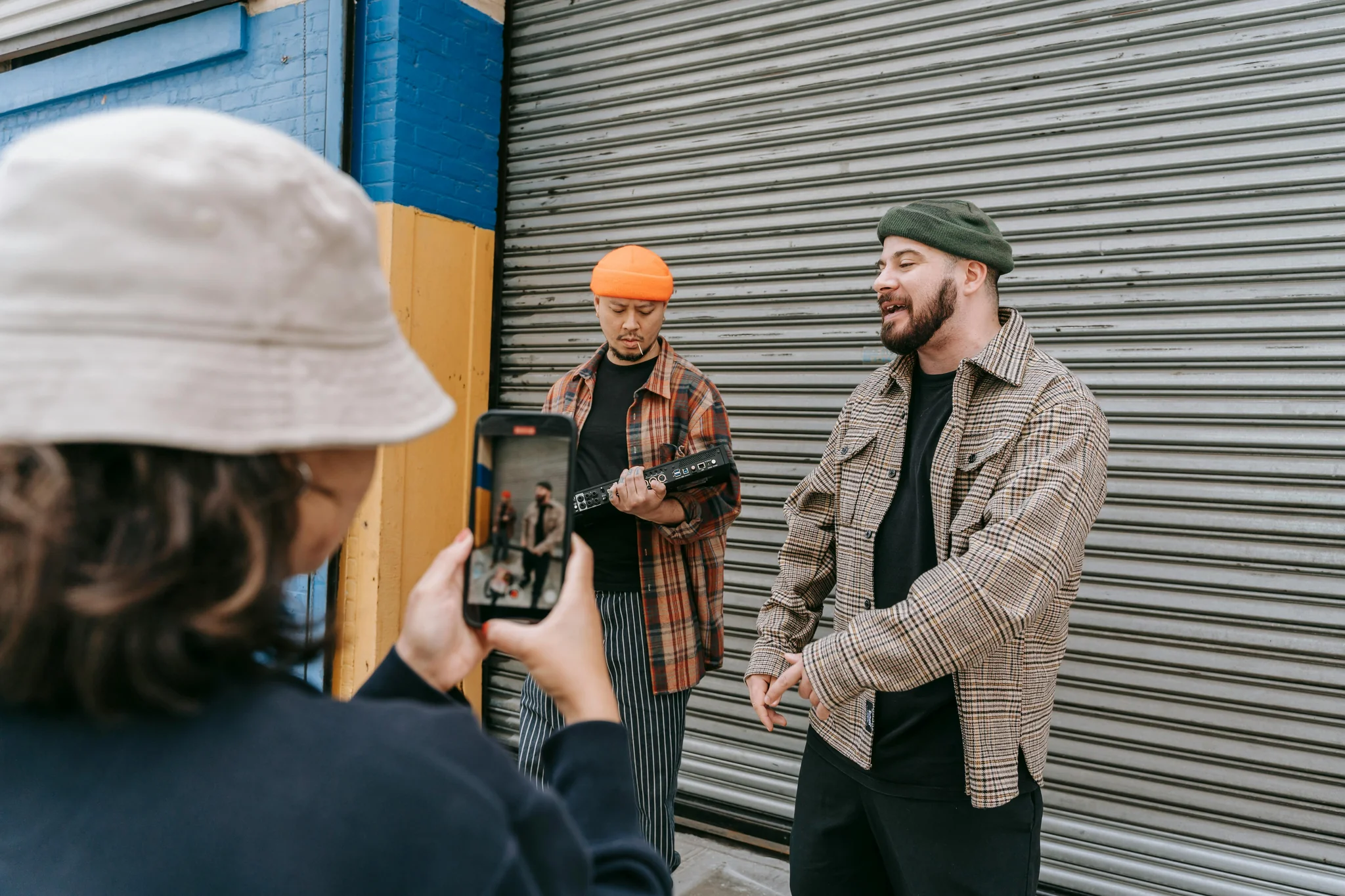
B-roll footage provides visual variety when you're explaining complex concepts. Instead of showing yourself talking about marketing strategies, show actual examples on screen. This dual-channel learning helps information stick better and prevents viewer fatigue from seeing the same shot repeatedly.
Motion graphics and text overlays reinforce key points visually. When you mention statistics or important tips, display them on screen with animated text. Lower thirds identify speakers or locations. Smooth transitions between scenes maintain professional quality. Just remember that less is often more with effects. Clean, purposeful graphics work better than cluttered screens.
Color grading creates a consistent visual style across your entire video. This subtle touch makes content look more professional and polished. It doesn't need to be dramatic. Simple consistency in lighting and color temperature makes a bigger difference than you might think.
Repurpose Content Across Platforms
One video can become dozens of pieces of content with smart editing. This multiplies your reach without creating everything from scratch. The best part is that each platform's audience discovers your content in their preferred format.

Cut your long-form videos into short clips for TikTok and Instagram Reels. Extract the most valuable thirty to sixty seconds that can stand alone. Reformat these clips to vertical layout and add platform-specific elements like trending sounds or hashtag graphics.
YouTube Shorts deserve special attention since they tap into a different algorithm within the same platform. Take highlights from your main videos and optimize them specifically for Shorts. This creates multiple entry points for new viewers to discover your channel.
Modern AI tools can automate much of this repurposing process. They identify the most engaging moments and handle the technical reformatting. This saves hours of manual work while maintaining quality across all platforms.
Optimize Everything for Mobile Viewers
Over seventy percent of YouTube watch time happens on mobile devices. If your editing doesn't account for small screens, you're losing a massive portion of potential viewers. This optimization needs to be built into your editing process from the start.
Text must be large enough to read on a phone screen. What looks perfect on your computer monitor might be completely illegible on a smartphone. Test your videos on your own phone before publishing. If you have to squint or zoom, your text is too small.
Keep visuals clean and uncluttered. Complex graphics with lots of small details get lost on mobile. Use bold, simple designs that communicate clearly even at reduced size. High contrast between text and background ensures readability in any lighting condition.
YouTube Shorts and vertical video formats are inherently mobile-first. When creating these formats, think about how viewers hold their phones and what catches attention while scrolling. Close-up shots work better than wide establishing shots. Dynamic movement in the frame stops the scroll.
Take Your Video Content to the Next Level
These five editing techniques create the foundation for viral success on YouTube. Videos with average view duration above fifty percent are three times more likely to be recommended by the algorithm. That's the difference between a few hundred views and hundreds of thousands.
Ready to transform your video editing workflow and create content that truly resonates? Visit Kyncept.com to discover powerful tools and strategies that help you master professional video editing techniques, increase viewer retention, and grow your channel faster than you ever thought possible.
More Articles
Faceless Videos: Create Engaging Content Anonymously
Master faceless video creation using AI animation screen recording and visual storytelling that builds engaged audiences while maintaining privacy.
Create Themed Videos: Cinematic Storytelling Mastery
Master themed video creation using cinematic techniques, AI tools, and compelling narratives that captivate audiences authentically.